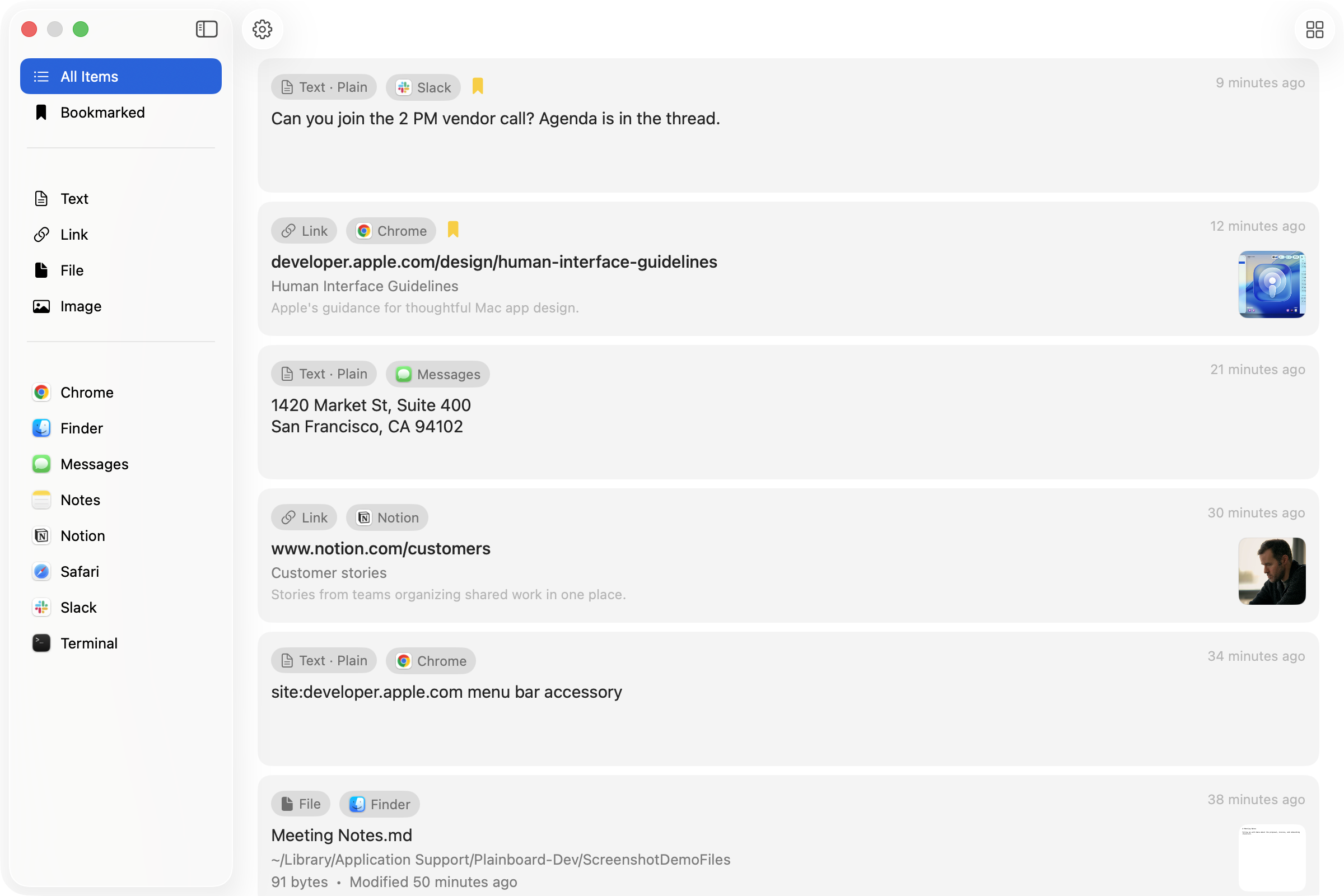
Mac clipboard history manager
Get back what you copied and thought was gone.
Requires macOS 14.6 Sonoma or later
Why Plainboard
Clipboard history that feels at home on your Mac
Stays on your Mac
Your clipboard history is saved on your Mac. No account, and nothing is sent to the cloud.
Opens from the menu bar
Designed to fit macOS, and opens from the menu bar. You can also set a shortcut in Settings.
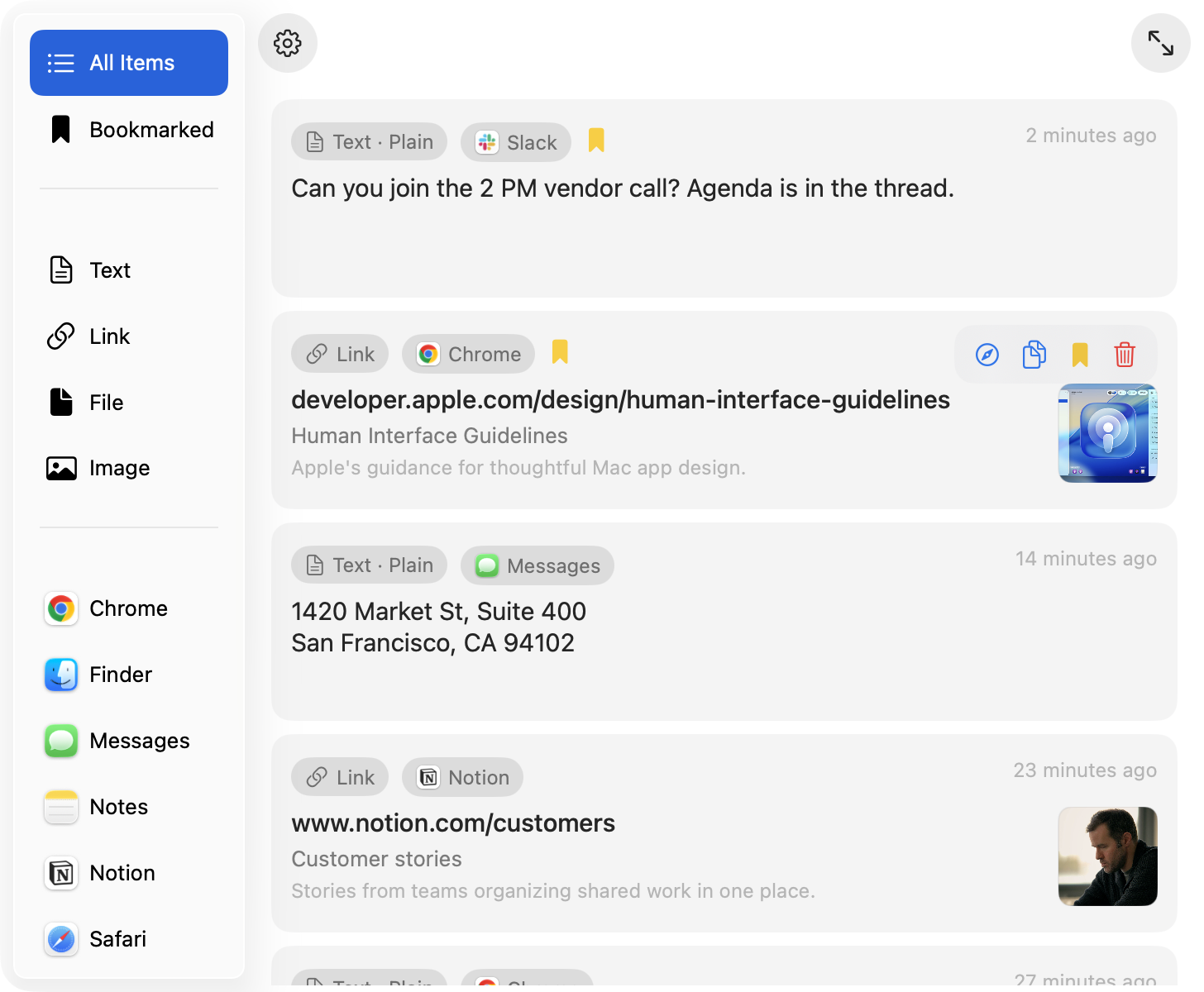
Find what you copied
Browse by text, link, file, or image — or by source app — and bookmark what you want to keep. Arrow keys and Return copy without the mouse.